dsh-transparent-ui-plugin
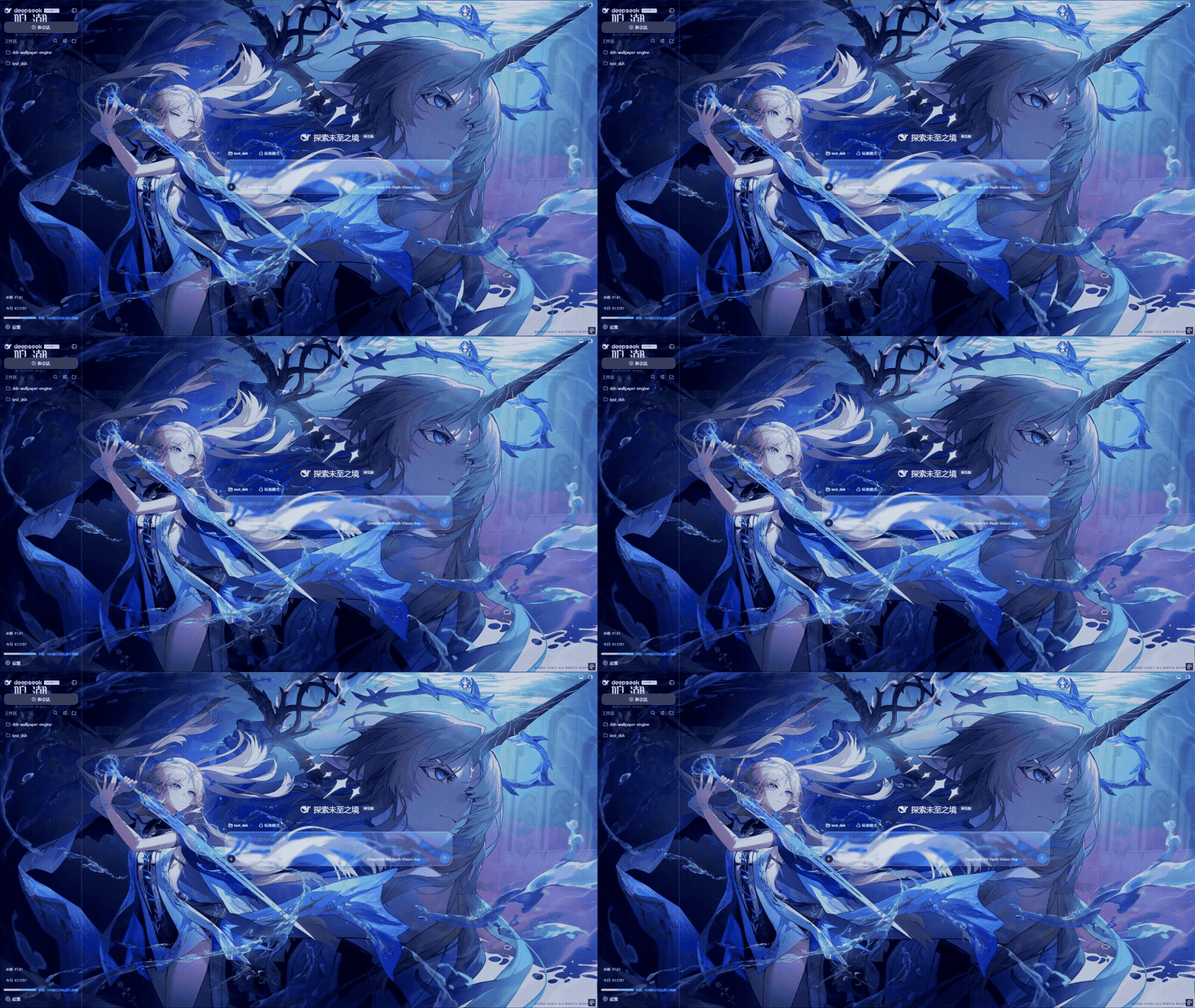
DSH Aqua glassmorphism theme plugin — header, sidebar, composer, and trajectory view all become frosted glass.
Install
dsh plugin --profile web add dsh-client-ui-aqua Screenshots 3
dsh-transparent-ui-plugin
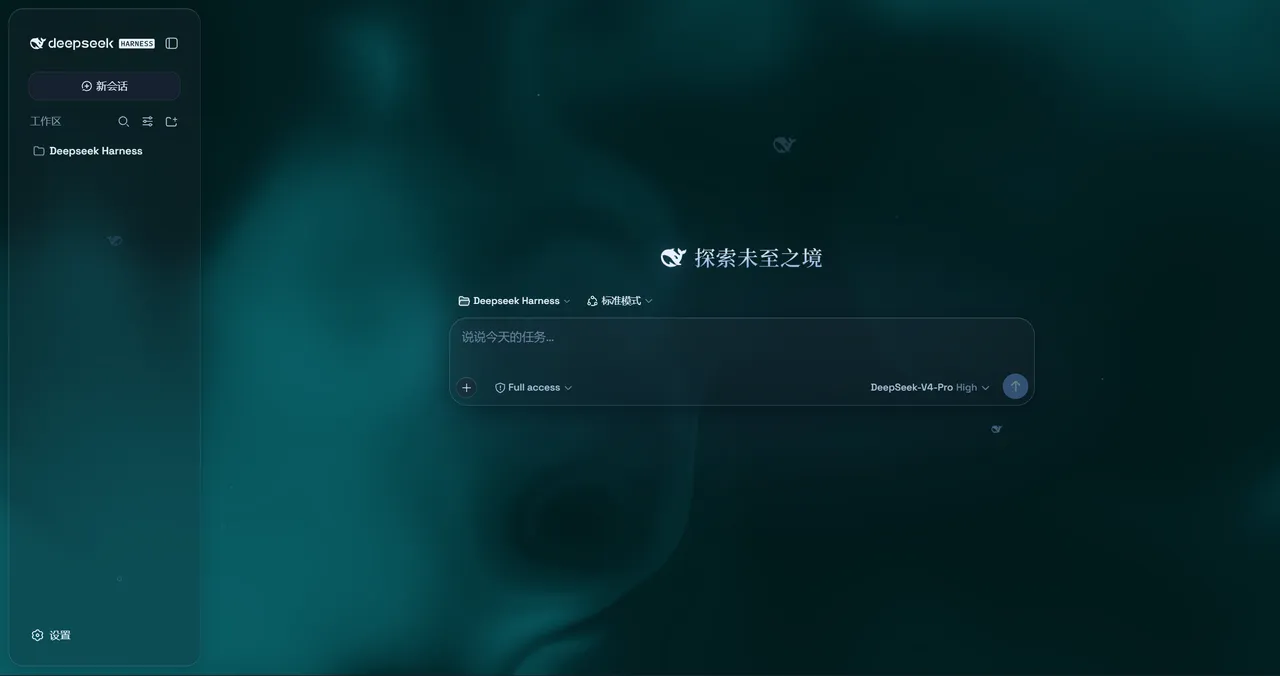
Give DSH Web the Aqua glass look: header, sidebar, composer, and trajectory view become frosted glass — with one switch to bring the stock UI back.
What problem it solves
You want a highly customizable glassmorphism look for the DSH web UI, and you want to be able to restore the original instantly. Aqua (npm: dsh-client-ui-aqua) turns the header, sidebar, composer, stats line, and trajectory view into panes of frosted glass without changing any DSH source.
It offers two modes: Mica restyles the layout into floating glass cards with adjustable blur and frost, while Compatibility Mode keeps the stock layout byte-for-byte and only swaps the material to generic glass — other plugins’ UI gets the same treatment automatically. The backdrop is freely replaceable — a living fluid board (adjustable hue) or your own wallpaper (fills the page, aspect preserved, with its own blur and frost); background brightness follows the light/dark scheme (dark mode darkens 0–50, light mode brightens 50–100). A particle whale (a 2D port of the official site’s particle engine, toggleable), a glossy “Harness” badge on the sidebar wordmark in dark mode, and edge fades at the top and bottom complete the look. One switch off restores the stock UI exactly, and every effect is removed with the plugin.
Key features
- Two modes: Mica restyles into floating glass cards; Compatibility Mode keeps the stock layout and swaps only the material, covering other plugins’ UI automatically
- Free backdrop: a living fluid board (adjustable hue) or your own wallpaper (fills the page, aspect preserved, own blur and frost)
- Theme-aware brightness: dark mode darkens (0–50), light mode brightens (50–100), 50 unchanged
- Particle whale: a 2D port of the site’s particle engine, centered in the chat area, with light/dark palettes and a settings toggle
- Glossy “Harness” badge: dark mode wears the official nameplate pill (135° gradient ring + soft glow) on the sidebar wordmark
- Edge fades: 5px gradient blur bands pinned to the top and bottom of the page
- One-switch restore: off returns the stock UI exactly; uninstalling removes every effect
Quick start
Install (npm one-liner recommended):
dsh plugin --profile web add dsh-client-ui-aquaReload the web UI and Aqua is on by default. The master switch lives in Settings → Plugins → Glass theme; every other control (mode, blur/frost, fluid color, background brightness, backdrop and wallpaper, particle-whale toggle) sits under Settings → General → Appearance. With the master switch off, the whole control block under Appearance is hidden and the stock UI returns.
Who it is for
- DSH Web users who love glassmorphism and want a custom wallpaper backdrop
- Cautious users who want a theme that stays out of other plugins’ UI and can be reverted with one switch
Compiled from the project README · All rights belong to the original author
Report issue / Request removal